
Angel: TV & Movies
Angel Studios, Inc.Entertainment
3.785.00 Reviews
- Version
- Varies With Device
- Installs
- 1.00M
- Age Rating
- Teen
Screenshots



Our Review of Angel: TV & Movies
 Analysis by Appyee
I approach streaming apps as tools for a particular kind of evening: I want to find something worth watching without turning the search into the whole activity. Angel: TV & Movies is an entertainment app from Angel Studios, Inc., and its focus gives it a different feel from opening a general-purpose service with a vast, mixed catalogue. It is free to download, rated Teen, and has an average rating of around 3.8 from more than 700 ratings. That is enough to make me curious, though I would treat it as a useful option to explore rather than assume it will suit every viewer.
What to expect when you open it
The name may suggest a conventional streaming library, but I find it more helpful to think of Angel as a place to discover the entertainment Angel Studios brings together. That distinction matters if you already subscribe to several services: it may complement your regular rotation, but it should not be mistaken for a one-stop replacement for every show or film you might search for elsewhere. Its store summary invites viewers to join a movement around entertainment; in practical terms, I would first check whether the titles and tone appeal to me, then decide whether it earns a regular place on my phone.
Angel has been available since February 2022 and has passed half a million installs, so it is not a brand-new experiment with no audience. Still, audience size alone says little about whether a particular catalogue matches your taste. I would browse with a specific question in mind—what can I watch with my family, or what do I want to save for a quiet evening?—rather than expecting the app to reproduce the breadth of the biggest streaming platforms.
Exploring the Features
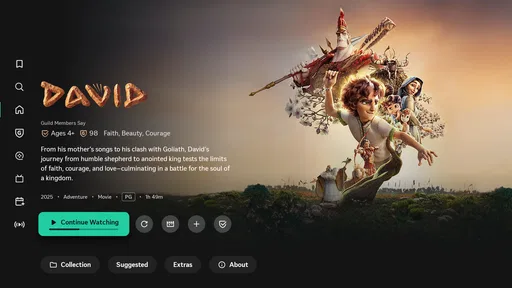
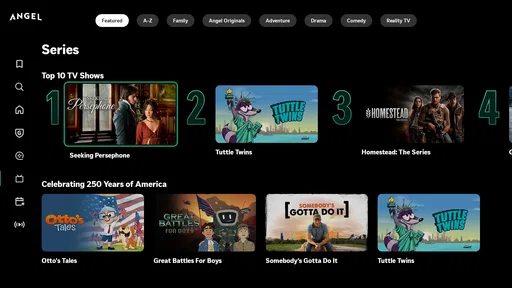
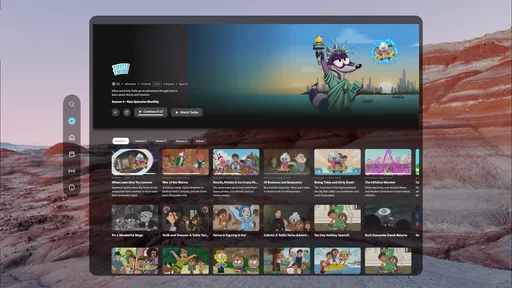
First things first, the app is a breeze to navigate. You open it up, and it's like stepping into a cozy living room where everything is laid out just the way you like it. The home screen displays a mix of popular shows and movies, and there's a neat little section for recommendations based on what you've watched. It's like the app knows what you’re in the mood for before you do!
Finding something without endless browsing
The practical question behind a recommendation row is whether it helps me choose or merely gives me more things to scroll past. I would use it as a starting point, not a verdict on my taste: a suggested title can be a useful nudge, while a quick search is better when I already know what I want. One small habit that makes a focused library easier to use is to keep a short mental note of titles that interest you as you browse, then return when you have enough time to watch rather than repeatedly opening the app with no plan.
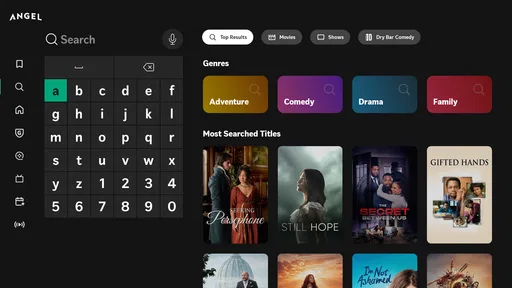
The search functionality is pretty robust, too. Looking for that obscure indie film you heard about in a podcast or the latest blockbuster? Just type it in, and you're good to go. The app's library is surprisingly extensive, which was a pleasant surprise. I found everything from classic films to the newest TV shows, and even some exclusive content I hadn't seen anywhere else.
For me, search is most useful when the viewing decision has already been made by the group. If someone suggests a particular title, looking it up is less frustrating than browsing a row of recommendations together. But a search box cannot make a service the right fit if the title you want is not part of its offering. I would keep a second streaming app in mind for that situation, especially when planning a watch party around one specific movie.
Speed, connection changes, and long sessions
Now, let's talk about the streaming quality. I tested it on both Wi-Fi and mobile data, and the streaming was smooth as butter in both cases. No annoying buffering or resolution drops, even when I switched to HD. You can also download content for offline viewing, which is a lifesaver for those long commutes or flights where Wi-Fi is spotty at best.
That experience is encouraging, but streaming performance is never only about the app. A strong home connection and a crowded café network are different conditions, and mobile reception can change during a trip. I would try a short episode or a few minutes of a film before relying on a long stream away from home. For travel, downloading ahead of time is the more sensible workflow: choose the title while connected, allow the download to finish, and check that it is ready before leaving. That avoids making a train platform or airport connection the moment you discover whether your signal is dependable.
Downloads are also a practical way to keep mobile viewing predictable. If you are trying to conserve data, prepare a small selection on Wi-Fi rather than starting a stream while out and hoping the connection remains steady. The trade-off is that offline viewing asks for a little planning and storage space; it is not as spontaneous as pressing play wherever you are. I would use it for a commute or a flight, but not treat it as a substitute for checking your device before a trip.
Language, sound, and shared viewing
The app supports multiple languages and subtitles, making it inclusive for a global audience. Whether you're watching a foreign film or just need subtitles for clarity, it's all there. The audio quality is also top-notch, so you won't miss a single line of dialogue.
Subtitles are useful for more than language learning. In a busy home, I often prefer reading dialogue rather than turning the volume up, and captions can help when a scene is quiet or someone is talking nearby. For a family viewing session, I would check the available language and subtitle choices before everyone settles in; that small check can save a pause once the film is underway. People who need a particular language option for every title should still confirm it on the title they plan to watch, rather than assume every choice is available throughout a library.
Personal organization and family choices
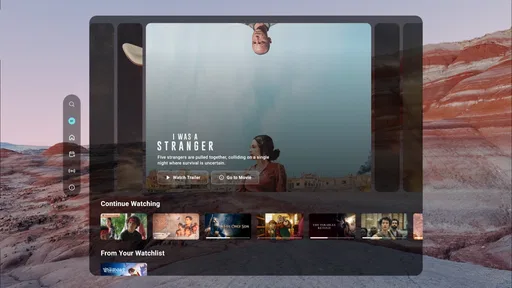
I have to give a shoutout to the design team. The interface is sleek and modern, with a dark theme that's easy on the eyes during those late-night binge sessions. The app’s layout is intuitive, and you can customize your profile to track your viewing history and create watchlists. It's like having your personal cinema in the palm of your hand.
A watchlist has more value here than simply bookmarking a title. I would use it as a handoff between browsing time and watching time: add a few possibilities during a spare moment, then choose one later without starting from scratch. It is especially handy when one person in a household does the searching and another makes the final choice. Keeping the list selective also helps; a long queue can become another catalogue to sift through rather than a shortcut.
One thing I appreciated was the parental control settings, which allow you to create kid-friendly profiles. This way, your little ones can enjoy their favorite cartoons while you enjoy your more grown-up content without worry.
For parents, the Teen content rating is worth keeping in view. A kid-friendly profile and parental controls can help organize viewing, but they are not a reason to stop checking what a particular child is about to watch. I would set up the household’s viewing choices before handing over the phone, and stay involved in selecting titles for younger children. That is a more realistic way to use the controls than expecting a profile setting to make every decision on a parent’s behalf.
Who will get the most from Angel?
If you're someone who loves discovering new content, Angel: TV & Movies is a treasure trove. It's got a little something for everyone, from action-packed thrillers to heartwarming dramas. And with its user-friendly design and impressive streaming quality, it’s a solid choice for anyone looking to expand their streaming options.
I think it is most appealing to viewers who are open to exploring Angel Studios’ selection and want another source of shows and films alongside the services they already use. It also makes sense for someone who watches on a phone during breaks, keeps a list for later, or wants to prepare titles for a trip. By contrast, if your priority is the widest possible catalogue, a particular mainstream hit, or one subscription that covers nearly every viewing mood, a larger general streaming service may be a better first choice.
Compared with the usual alternatives, Angel feels less like a universal library and more like a focused discovery stop. That can be a strength: a narrower point of view can make it easier to find stories you might otherwise overlook. It can also be a limitation if you want to search for a specific title and expect it to be there. I would keep it for the kinds of viewing it serves well, while using another service when a particular release or broader selection matters more.
The app is available on both Android and iOS, and downloading it is a breeze. Just hit up your app store, and you'll be ready to dive into a world of entertainment.
Free to start, with a purchase decision to consider
Angel is free to download, but in-app purchases are listed from around $12 to $179 per item. That range is broad enough that I would look carefully at what an individual purchase offers before spending anything. Free installation does not mean every viewing choice is necessarily included at no cost, so I would treat the app as something to explore first and make a deliberate decision only when a specific paid option interests me. If you are trying to keep entertainment spending simple, that distinction is worth understanding before you make the app part of your routine.
One practical way to avoid an impulse purchase is to browse when you have time, add interesting titles to your watchlist, and decide later whether any paid option is genuinely worthwhile to you. That separates the question “Do I want to watch this?” from “Do I want to pay for this?” It is a small pause, but it helps keep a free download from turning into an unplanned expense.
Device expectations and everyday reliability
The minimum Android requirement is version 7.0, which gives the app a relatively broad starting point among Android devices. That does not guarantee identical performance on every phone: older hardware, limited free storage, background activity, and a weak connection can all affect a video app. I would make sure the phone has room if I plan to download content, close other demanding tasks if playback feels sluggish, and test the app at home before counting on it for travel.
For a realistic evening, imagine that I have a short window after dinner and want to watch something with a family member. I would browse earlier, put a couple of candidates on the watchlist, and check that the intended title suits the people in the room. If we are heading out afterward, I might download it first; if we are staying home, a quick connection check is enough. That routine makes the app’s discovery and organization tools useful without asking it to solve every viewing decision on the spot.
As for stability, I would judge it by whether it starts reliably on the device and network I actually use, not by a promise that every stream will behave the same everywhere. If playback stalls, I would first check the connection, then try again on Wi-Fi or use a prepared offline download when available. This is ordinary troubleshooting rather than a special recovery feature, but it is a sensible way to avoid blaming the app for a momentary network problem.
When another option is the better fit
I would skip Angel if I only want one app to cover every genre, if my household needs a catalogue built around a particular show, or if I do not want to compare any in-app purchase before watching. Someone with limited phone storage may also prefer streaming over downloads, while a traveler with unreliable connectivity should plan ahead rather than assume any streaming service will work well on the move. These are not reasons to rule it out for everyone; they are reminders to match the app to the way you actually watch.
It is also not the right choice for someone who prefers to spend all their viewing time on a television and has no interest in discovering titles on a phone. Angel is available for Android and iOS, but a mobile app only adds value if that is a screen you use. I would install it when its selection gives me a reason to open it, not simply because adding another streaming app sounds useful.
My take on performance and value
Overall, I see Angel as a worthwhile, focused addition for viewers who are curious about its selection, rather than a replacement for every streaming service in the house. Its search, recommendations, watchlists, subtitle options, and offline viewing give me practical ways to move from discovery to an actual viewing plan. The main trade-offs are the need to check whether a title fits what I want, to plan downloads when offline access matters, and to pay attention to purchase choices instead of assuming the free download covers everything.
With more than 500,000 installs, Angel has found a real audience, while its average rating of about 3.8 suggests that experiences are not universally glowing. I take that as a reason to try it with a specific use in mind rather than expect it to become everyone’s favorite. If you like exploring Angel Studios’ entertainment and want a mobile option for planned viewing, it is easy to see the appeal. If you need the broadest catalogue or a guaranteed title-by-title match, keep your usual service close. That is the distinction I would make before giving it space in my regular rotation.
Wrapping It Up
All in all, Angel: TV & Movies is a delightful app that deserves a spot on your device. Whether you're a movie buff or a casual viewer, it offers a seamless streaming experience with an extensive library to explore. So grab your popcorn, settle into your favorite chair, and let the stories begin. Happy streaming!
Verdict
Strengths of Angel: TV & Movies
- User-friendly interface for easy navigation.
- Extensive library of TV shows and movies.
- High-quality streaming with minimal buffering.
- Regular updates with new content additions.
- Option to download content for offline viewing.
Limitations of Angel: TV & Movies
- Limited availability in certain regions.
- Some content requires a subscription.
- Occasional ads in the free version.
- No option for parental controls.
- Limited customization of the watchlist.
Other Releases by Angel Studios, Inc.
View All
Angel: Watch Movies & TV Shows
Entertainment4.6
Similar Picks in This Category
View All
Google Play Games
Google LLC3.9

Netflix
Netflix, Inc.4.8

YouTube Kids
Google LLC4.2

Disney+
Disney4.4

Prime Video
Amazon Mobile LLC4.7

Steam
Valve Corporation3.2
Frequently Asked Questions
What is Angel: TV & Movies, and what content does it offer?
Angel: TV & Movies is an app that provides a wide range of family-friendly TV shows and movies. The platform is designed to offer wholesome content without profanity, violence, or inappropriate themes, making it suitable for viewers of all ages. It features a variety of genres, including drama, comedy, and educational programs.
Is Angel: TV & Movies available on both Android and iOS devices?
Yes, Angel: TV & Movies is available for download on both Android and iOS platforms. You can easily find it on the Google Play Store for Android devices and the Apple App Store for iOS devices. Ensure your device meets the minimum system requirements for a smooth streaming experience.
Does Angel: TV & Movies require a subscription, and are there any free options?
Angel: TV & Movies offers both free and subscription-based content. While some content is available for free with ads, a subscription service is available for ad-free viewing and access to premium content. Users can choose the plan that best fits their viewing habits and budget.
How reliable is the streaming quality on Angel: TV & Movies?
The streaming quality on Angel: TV & Movies is generally reliable, offering resolutions up to HD depending on your internet connection. The app is optimized for stable performance, but users should ensure they have a strong Wi-Fi or mobile data connection to avoid buffering issues.
What parental controls are available on Angel: TV & Movies?
Angel: TV & Movies includes robust parental control features. Parents can set up profiles with specific content restrictions to ensure their children only have access to age-appropriate material. These controls help create a safe viewing environment, giving parents peace of mind.
